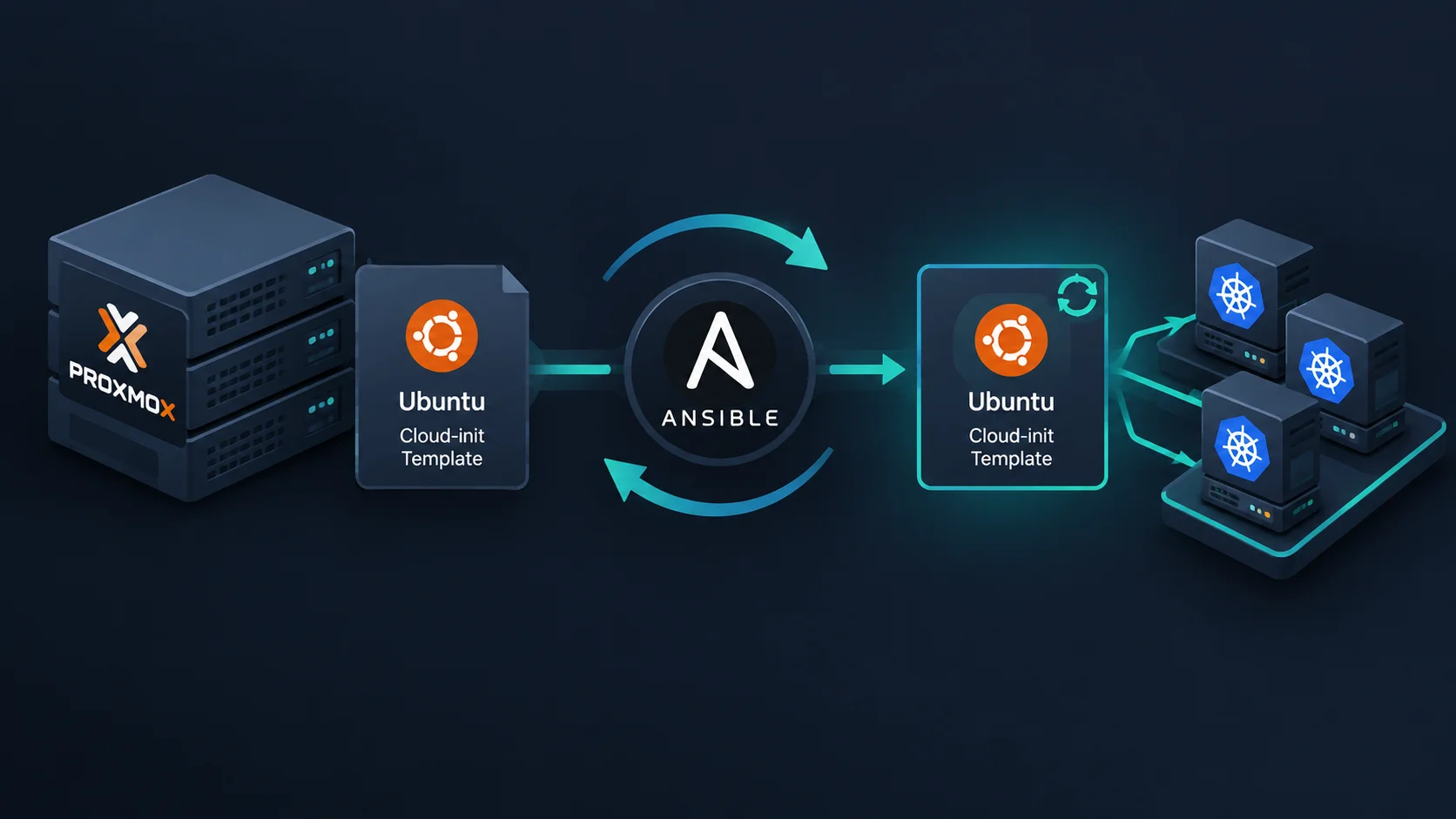
Intro
I already had an Ubuntu cloud-init template in Proxmox, based on the setup described in this previous article. It worked well, especially when I needed to deploy several virtual machines with Terraform.
There was one problem, though. Every new VM still had to update its packages after being created. When I deployed three VMs, the whole process took more than six minutes, and about half of that time was spent updating packages.
I am going to use this template quite often over the next few months to create Kubernetes clusters. Updating every VM after each deployment would quickly become repetitive, so I decided to automate the template rebuild instead.
The goal is simple: regularly rebuild the Ubuntu cloud-init template with the latest cloud image, so newly created VMs start from a more up-to-date baseline.
The Approach
The solution is an Ansible playbook executed through Semaphore UI. The playbook runs against my Proxmox nodes and takes care of the complete lifecycle of the template:
- Check whether the template already exists.
- Check whether the current Ubuntu cloud image is available.
- Find the Proxmox host that should handle the rebuild.
- Download the latest image when necessary.
- Destroy the old template when the image has changed.
- Recreate the VM and convert it back into a template.
The playbook uses VMID 900 and currently targets the Ubuntu noble cloud image:
📝 The complete final playbook is available on GitHub.
vars:
  template_vmid: 900
  template_os: ubuntu
  os_release: noble

  template_name: "{{template_os}}-{{ os_release }}-cloud"

  image_filename: "{{ os_release }}-server-cloudimg-amd64.img"
  image_url: "https://cloud-images.ubuntu.com/{{ os_release }}/current/{{ image_filename }}"
  image_dest: "/var/lib/vz/template/iso/{{ image_filename }}"

  iso_storage: local
  vm_storage: ceph-workload

  template_memory: 2048
  template_cores: 1
Keeping these values in variables makes it easier to adapt the playbook for another Ubuntu release or another template later.
Finding the Right Proxmox Host
My first execution failed because the template did not exist on the Proxmox host selected in Semaphore UI. That made the limitation clear: the playbook could not assume that the template or its image was available on one particular node.
The Proxmox cluster can contain the image on one host while another host has more free space. I therefore added a small selection process.
First, each node checks whether the template VMID exists and whether the cloud image is present locally. It also records the free space available on the root filesystem:
- name: Check whether the template VMID already exists
  ansible.builtin.command: qm status {{ template_vmid }}
  register: template_status
  changed_when: false
  failed_when: false

- name: Check if the cloud image file exists
  ansible.builtin.stat:
    path: "{{ image_dest }}"
  register: image_exists
  changed_when: false
  failed_when: false

- name: Set candidate information
  ansible.builtin.set_fact:
    has_image_file: "{{ image_exists.stat.exists }}"
    root_free_space: "{{ (ansible_facts['mounts'] | selectattr('mount', 'equalto', '/') | first).size_available }}"
The target host is then selected in two steps. A node that already has the image is preferred. If no node has it, the playbook chooses the node with the most available space:
- name: Select target host
  ansible.builtin.set_fact:
    target_host: >-
      {{ (ansible_play_hosts
          | map('extract', hostvars)
          | selectattr('has_image_file', 'equalto', true)
          | sort(attribute='root_free_space', reverse=true)
          | map(attribute='inventory_hostname')
          | first)
          | default(ansible_play_hosts
          | map('extract', hostvars)
          | sort(attribute='root_free_space', reverse=true)
          | map(attribute='inventory_hostname')
          | first,
          true) }}
  run_once: true
This avoids tying the automation to a specific Proxmox node and also gives the image download a sensible fallback location.
Downloading the Image and Rebuilding the Template
Once the target host is selected, Ansible downloads the image only when it is not already available:
- name: Download the current Ubuntu cloud image
  ansible.builtin.get_url:
    url: "{{ image_url }}"
    dest: "{{ image_dest }}"
    force: false
    mode: "0644"
  register: image_download
  when: inventory_hostname == target_host
The result of this task is important. The existing template is destroyed only when a new image was downloaded. If the template is missing, the playbook also rebuilds it:
- name: Destroy existing template if present
  ansible.builtin.command: qm destroy {{ template_vmid }} --purge
  when:
    - template_status.rc == 0
    - image_download.changed
The VM is then created with the same core configuration as my original template: two gigabytes of memory, one CPU core, UEFI, an EFI disk, a VirtIO network interface, and a serial console.
- name: Create the base VM shell
  ansible.builtin.command: >
    qm create {{ template_vmid }}
    --memory {{ template_memory }}
    --core {{ template_cores }}
    --net0 virtio,bridge=vmbr0
    --scsihw virtio-scsi-pci
    --bios ovmf
    --machine q35
    --efidisk0 {{ vm_storage }}:0,pre-enrolled-keys=0
    --name {{ template_name }}

- name: Import the cloud image as the primary disk
  ansible.builtin.command: qm set {{ template_vmid }} --scsi0 {{ vm_storage }}:0,import-from={{ image_dest }}

- name: Attach a cloud-init drive
  ansible.builtin.command: qm set {{ template_vmid }} --scsi1 {{ vm_storage }}:cloudinit

- name: Set boot order to the primary disk
  ansible.builtin.command: qm set {{ template_vmid }} --boot order=scsi0

- name: Add serial console for cloud-init consoles
  ansible.builtin.command: qm set {{ template_vmid }} --serial0 socket --vga serial0

- name: Convert the VM to a template
  ansible.builtin.command: qm template {{ template_vmid }}
The rebuild block runs only on the selected host and only when the image changed or the template does not exist. This keeps repeated executions harmless when there is nothing to update.
Running It Through Semaphore UI
I created a task in Semaphore UI to run the Ansible playbook. The first launch exposed the hard-coded host assumption, and after adding the host selection logic the playbook behaved as expected.
Using Semaphore UI gives me a convenient way to launch the rebuild manually when needed. More importantly, it lets me schedule the task, so I configured it to run weekly.
The template is therefore refreshed automatically without requiring me to remember to download a new Ubuntu image before creating a cluster.
Notifications
I also added an optional notification task at the end of the playbook. It sends a message through Ntfy when the template has been updated:
- name: Send notification
  ansible.builtin.uri:
    url: "{{ ntfy_url }}/{{ ntfy_topic }}"
    method: POST
    user: "{{ ntfy_user }}"
    password: "{{ lookup('env', 'NTFY_PASSWORD') }}"
    force_basic_auth: true
    body: |
      The {{ template_os | capitalize }} {{ os_release }} cloud-init template has been successfully updated on {{ inventory_hostname }}.
    headers:
      Title: "Cloud-init template updated"
      Priority: "min"
      Tags: "white_check_mark"
  when: ntfy_url is defined
The notification is optional because the task is guarded by ntfy_url is defined. I can therefore use the same playbook without configuring Ntfy, while still receiving a quiet confirmation when notifications are enabled.
Results
After merging the playbook into the main branch and scheduling it weekly, my cloud-init template stays up to date automatically.
I then deployed the same three VMs with my Terraform project. The deployment time dropped from more than six minutes to about three minutes. The package update step no longer needs to do all the work on every newly created VM because the template already contains a more recent Ubuntu cloud image.
This is especially useful for my next Kubernetes clusters. Terraform can continue to create the VMs from the same template, while Ansible takes care of keeping that template fresh in the background.
Conclusion
The initial cloud-init template solved the problem of creating consistent Proxmox VMs. The missing piece was keeping it current without manually rebuilding it.
The Ansible playbook now handles that lifecycle and works across my Proxmox cluster instead of assuming that one node always contains the template. Semaphore UI provides both manual execution and a weekly schedule, while Ntfy gives me a simple confirmation when an update succeeds.
The result is a smaller delay when deploying VMs and a much more convenient base for creating Kubernetes clusters.