Intro
I have been hearing about autonomous AI agents for a while. OpenClaw was getting a lot of attention, but I didn’t initially see what I would do with one. After experimenting a little with AI agents, I started to understand how they could help with my own projects.
My homelab already gives me plenty of material to work with: infrastructure code, project notes, and technical documentation. I want an assistant that can use that context, rather than asking me to explain the whole setup again in every conversation.
I also want to experiment with several agents working together. Can I give them separate responsibilities and have one hand work to another without becoming the person who copies information between chats? Automating the work only to become the copy-paste department would be a slightly disappointing promotion. 😅
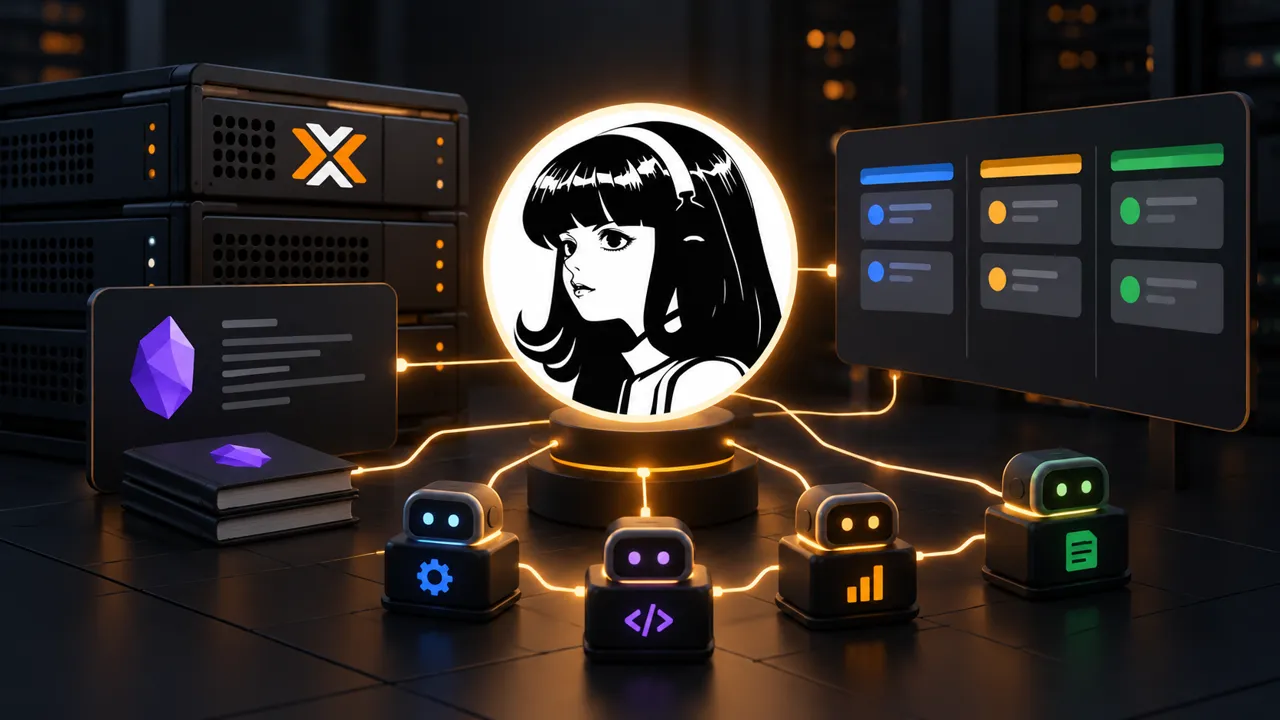
🎯 For this project, I deploy Hermes Agent in a dedicated Proxmox VM, connect it to my Obsidian vault, and build a small team of specialized agents. Getting them installed is the easy part. Making them work together takes a little more thought.
What is Hermes Agent?
Hermes Agent is an open-source AI agent developed by Nous Research. It connects a language model to tools, persistent memory, and reusable instructions called skills.
Hermes is not the model itself. The model interprets my request and decides what to do next. Hermes provides the environment in which it can act. Depending on the tools I enable, that can include reading files, editing Markdown, searching the web, or running commands.
An agent can therefore work through several steps before returning an answer. It reads the relevant files, calls a tool, examines the result, and continues if more work is needed. That is the agent loop. Its usefulness depends on the context, permissions, and tools it receives, as well as the model behind it.
Two features particularly interest me:
- Persistent memory keeps useful context between sessions, such as my preferences and facts about my environment.
- Skills store procedures that the agent can load when a task needs them. Hermes can create and refine these skills from its experience.
💡 The self-improvement part needs a little explanation. Saving a procedure is not the same as training the underlying model. The agent writes down something reusable, then consults it in a later session. I can inspect those instructions and correct them when necessary.
Hermes also provides a desktop application and messaging gateways. I can interact with the same remote setup from my laptop or through Telegram on my phone.
Hermes on Proxmox
🚀 I create an Ubuntu VM from my existing cloud-init template, with the following resources:
| Resource | Configuration |
|---|---|
| Hostname | hermes |
| CPU | 2 vCPU |
| Memory | 4 GB |
| Disk | 30 GB |
| Network | Lab VLAN |
I use a dedicated Linux user named hermes to run the agent. After installing the prerequisites, I switch to that user and launch the installer:
sudo apt update
sudo apt install git curl xz-utils libatomic1
sudo -iu hermes
curl -fsSL https://hermes-agent.nousresearch.com/install.sh | bash
The setup walks me through the model provider and tools. I initially use OpenRouter, then later switch my profiles to the OpenAI subscription integration.
ℹ️ This is a self-hosted agent environment, not a locally hosted language model. In my setup, model requests still go to an external provider. Running Hermes in my own VM does not mean that the context sent to that provider stays inside the homelab.
On my Surface, I install Hermes Desktop and connect it to the VM using the remote gateway settings. The application is my interface, while the agent works with the files on the VM.
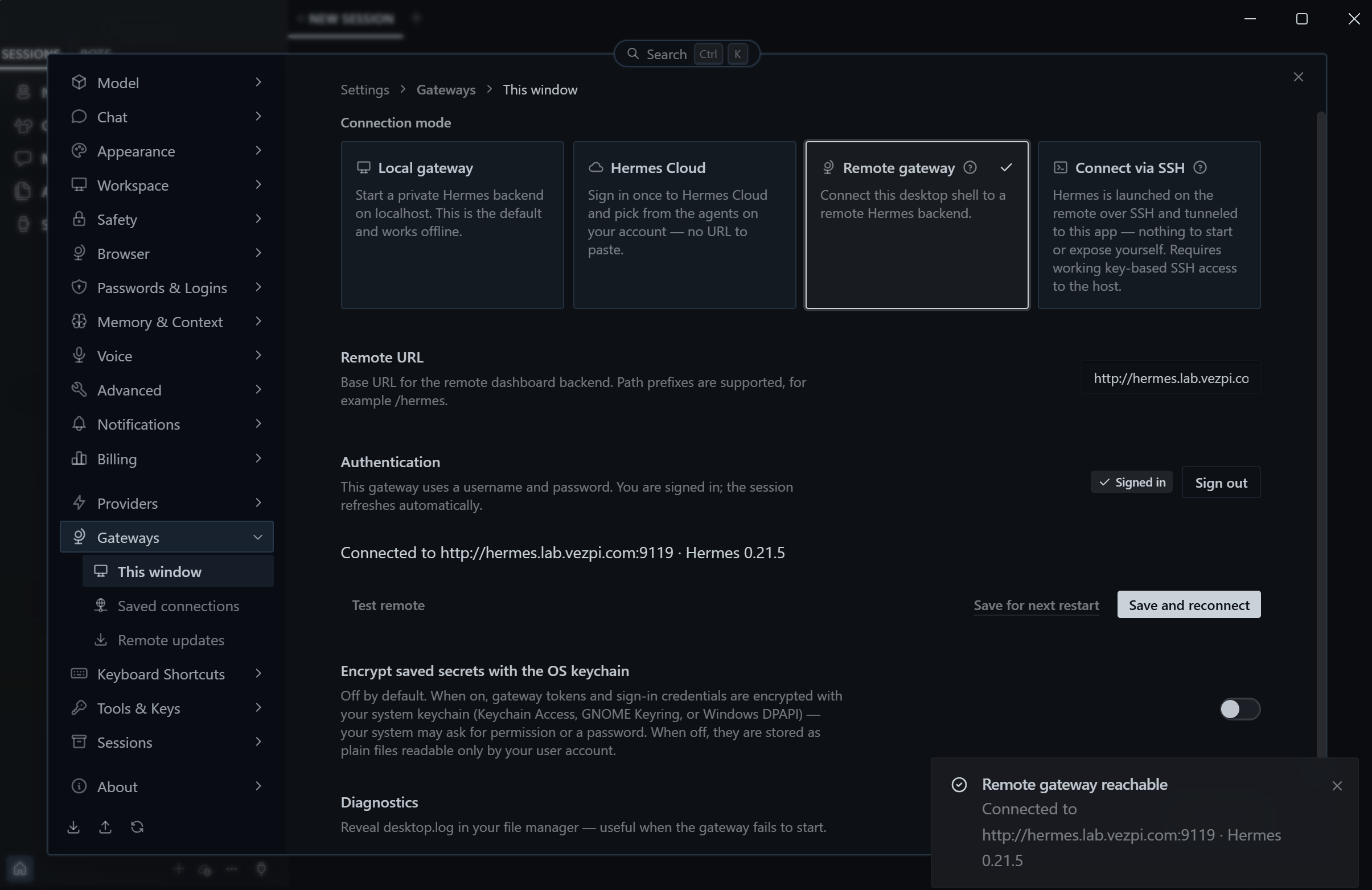
I run the dashboard backend as a user systemd service and enable lingering so it can remain available after logout.
That gives me a convenient place to chat, inspect tool activity, and configure the agents without keeping an SSH terminal open.
Connecting Obsidian
Before asking Hermes to help with the lab, I prepare context about my goals, the infrastructure, and how I work. I then ask it to review what it knows and interview me about the gaps.
🔎 The questions are sharper than I expected, and I take the time to answer carefully. This is also a useful way to discover which parts of my setup I have not explained well.
My Obsidian vault is the next step. It contains the project notes and technical documentation I want the agent to consult instead of relying on what I happen to mention in a chat.
I create a dedicated Gitea account for Hermes and initially give it read access to the vault repository. The agent clones the vault onto the VM. Once I am ready for it to push documentation changes, I grant write access.
Access to the files is only part of the preparation. The agent also needs to know how to use them, so I write a Codex describing the vault structure and its operating rules. Project logs give it the context behind my experiments and decisions.
Hermes starts creating skills from this context. This is useful, but I don’t want each agent inventing a different version of my workflow. As the setup grows, I start maintaining the shared instructions more deliberately.
Agent roles
🏴☠️ For some reason, I already call myself Captain when talking to AI assistants. With Docker and Kubernetes in the lab, the nautical theme is not completely out of place. I push the idea a little further and create a crew for Vezpi Lab.
Behind the names and avatars, each member has a defined responsibility:
| Agent | Responsibility |
|---|---|
| Salty | Architecture, planning, delegation, and review |
| Flint | Research and verification against external sources |
| Patch | Software and infrastructure engineering, tests, and read-only investigation |
| Ink | Documentation, knowledge-base maintenance, and translations |
I initially include another agent for architecture, then fold that responsibility into Salty. Four profiles are enough for this experiment. My homelab now has an org chart, which is probably a sign that I have taken the naming exercise far enough. 😄
A Hermes profile has its own configuration, memory, sessions, and skills. These are separate assistant environments on the same machine, not four VMs or four separately trained models.
That separation lets me give each agent a narrower role. Ink needs my writing conventions, while Patch needs the code and verification workflow. Flint does not need every tool used to maintain the vault.
⚠️ I also define boundaries. The agents can research, prepare code, run checks, and document the results. I remain responsible for deciding and applying changes to the homelab infrastructure. A role description is not a security sandbox, though. Tool access and credentials still need to match those responsibilities.
Context files
I organize the context into a few different places:
| File or directory | Purpose in my setup |
|---|---|
SOUL.md |
The profile’s identity, role, and boundaries |
USER.md |
Information about me and my preferences |
MEMORY.md |
Durable facts retained between sessions |
AGENTS.md |
Shared rules for working in the Vezpi Lab workspace |
skills/ |
Procedures loaded for particular tasks |
The shared workspace rules point the agents to the vault’s Codex. They also make the division of work explicit, so every profile does not try to do everything. I set their working directory to the Vezpi Lab workspace.
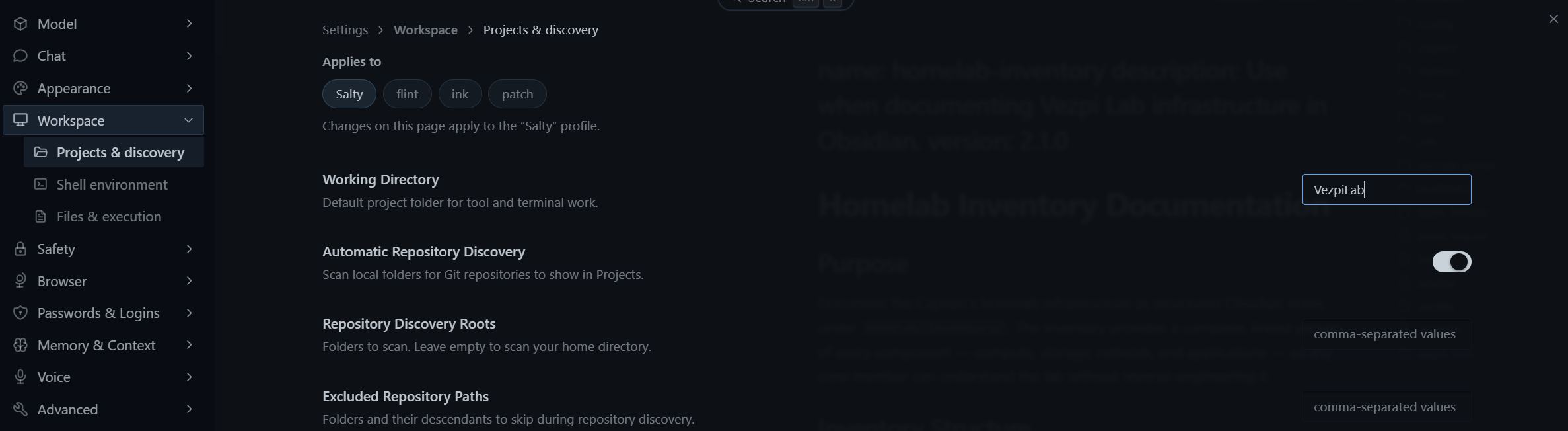
I move the identities and custom skills into a dedicated Git repository, alongside a deployment script and project configuration. Those files were becoming scattered across the VM, and I want to track their changes like the rest of my configuration.
Agent delegation
Creating the profiles gives me specialists, but it does not immediately give me a useful team.
🧩 In an early delegation test, Salty creates a temporary subagent instead of contacting the named crew member I intended. Both approaches can be useful, but they are different. Giving everyone a name and an avatar does not automatically solve delegation, unfortunately.
A temporary subagent starts a fresh conversation for a bounded task. My named profiles carry their own persistent instructions and memory. If I want Flint to do the research according to Flint’s role, spawning a generic child agent is not necessarily the handoff I am looking for.
I experiment with Bot Mode and get the named agents exchanging messages in the desktop application.
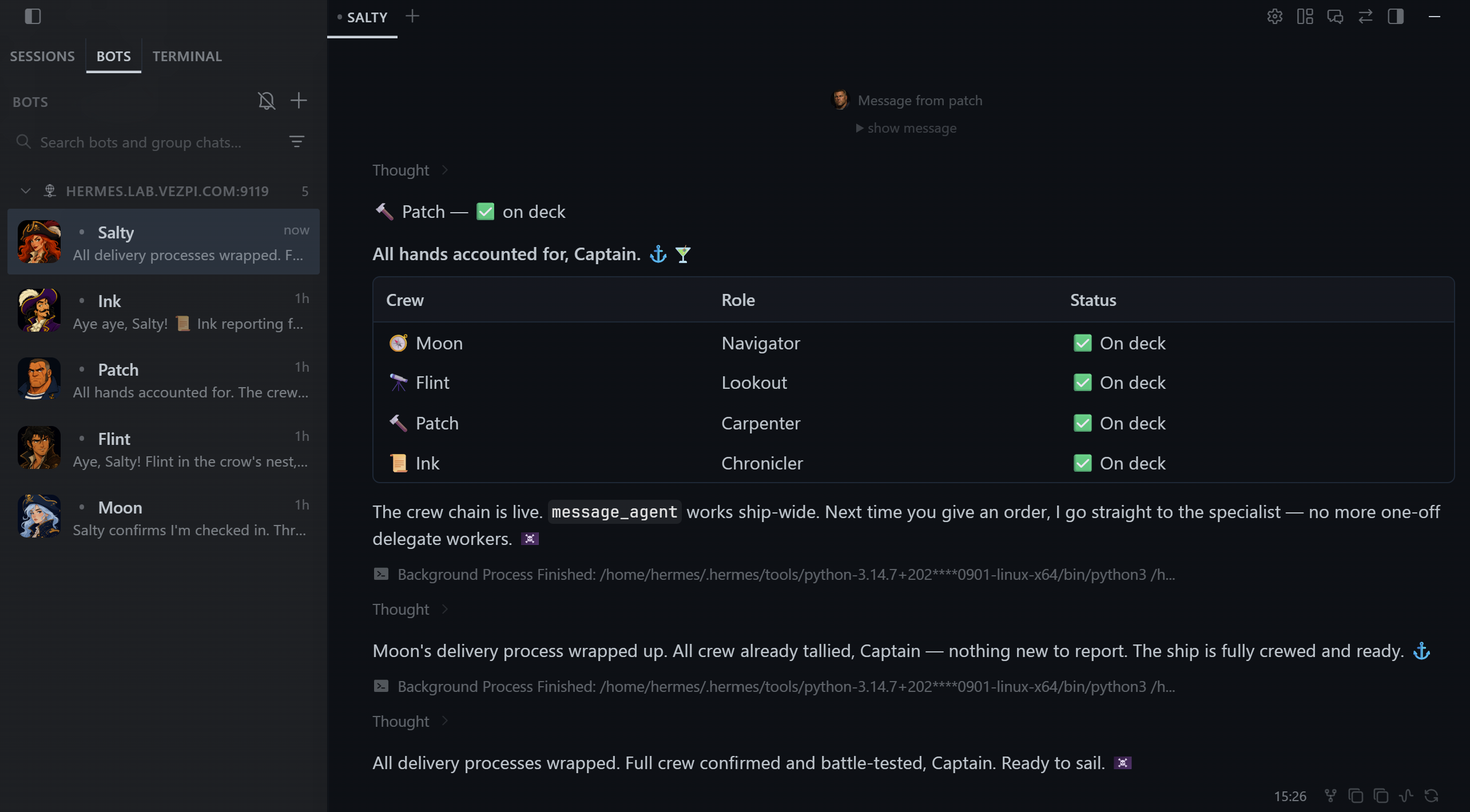
📱 I also configure Telegram for each profile, which lets me talk to the crew from my phone.
The gateway runs as a user service. After restarting the VM, I confirm that it comes back and I can reach the bots again.
Still, maintaining several profiles creates friction. I even consider going back to one assistant. I need a way to assign work and preserve the result without carrying context between conversations myself.
Kanban coordination
The Kanban board is the part that convinces me to keep the multi-agent setup.
In Hermes, it is a shared work queue. A card has an assignee, a description of the expected work, and a recorded result. Dependencies let one task wait for another, and the dispatcher starts eligible work with the assigned profile.
I enable the Kanban plugin in Hermes Desktop:
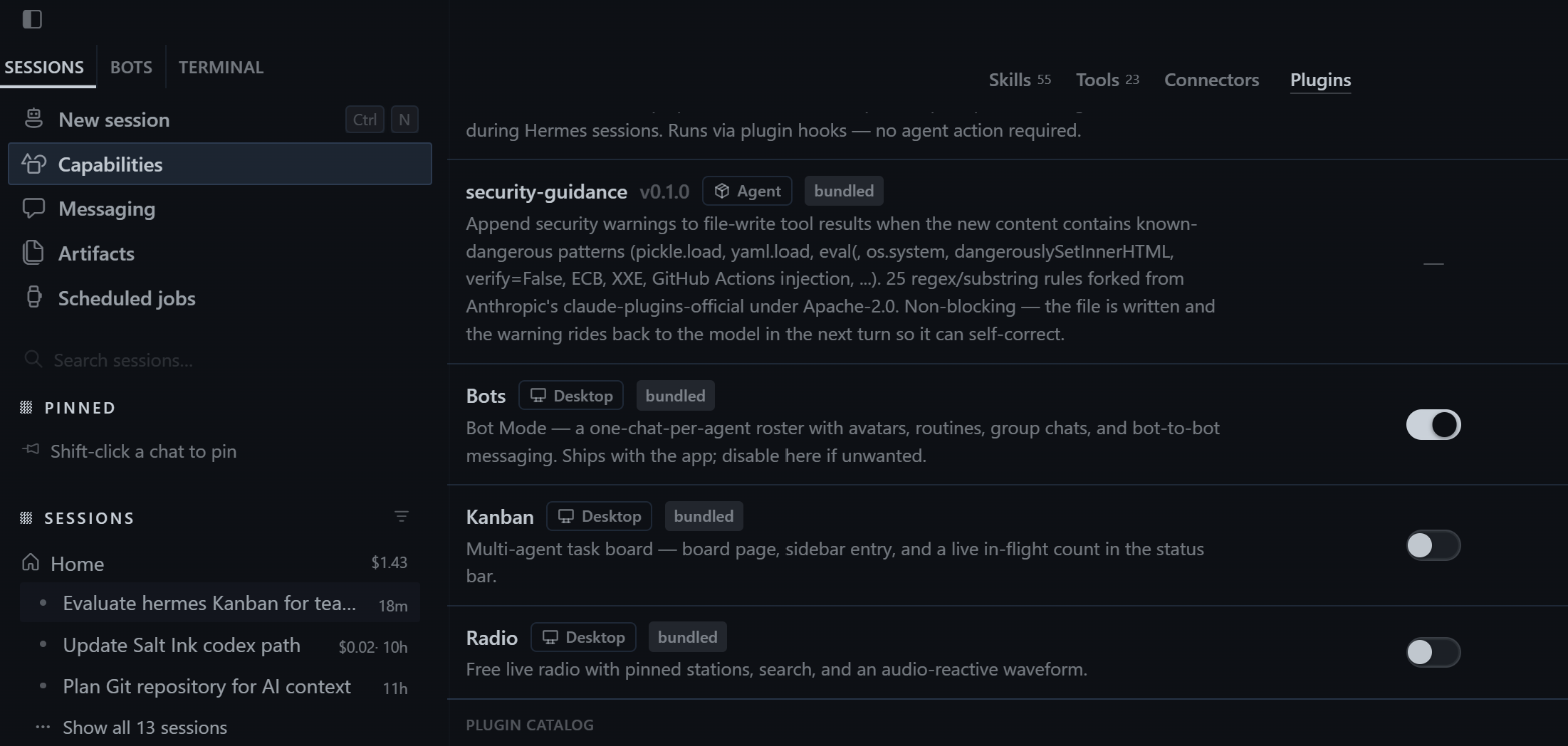
🔧 I then check that the Kanban tools are enabled for all four profiles. Enabling the plugin alone is not enough if the intended worker cannot use its tools.
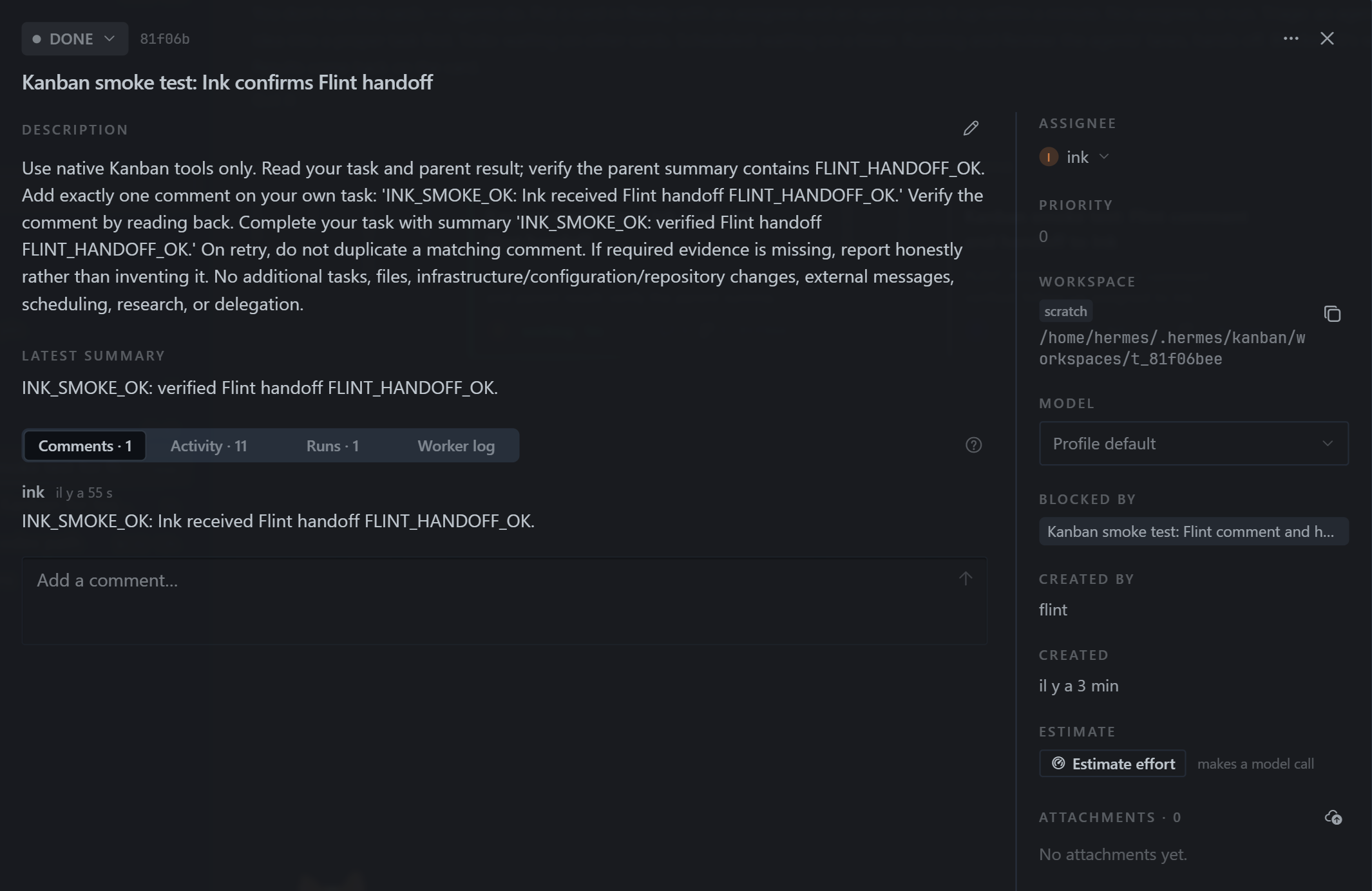
For the first test, I ask Salty to create a small task for Flint, followed by a task for Ink. Flint leaves a comment and prepares the handoff. Ink then checks the parent result and confirms it.
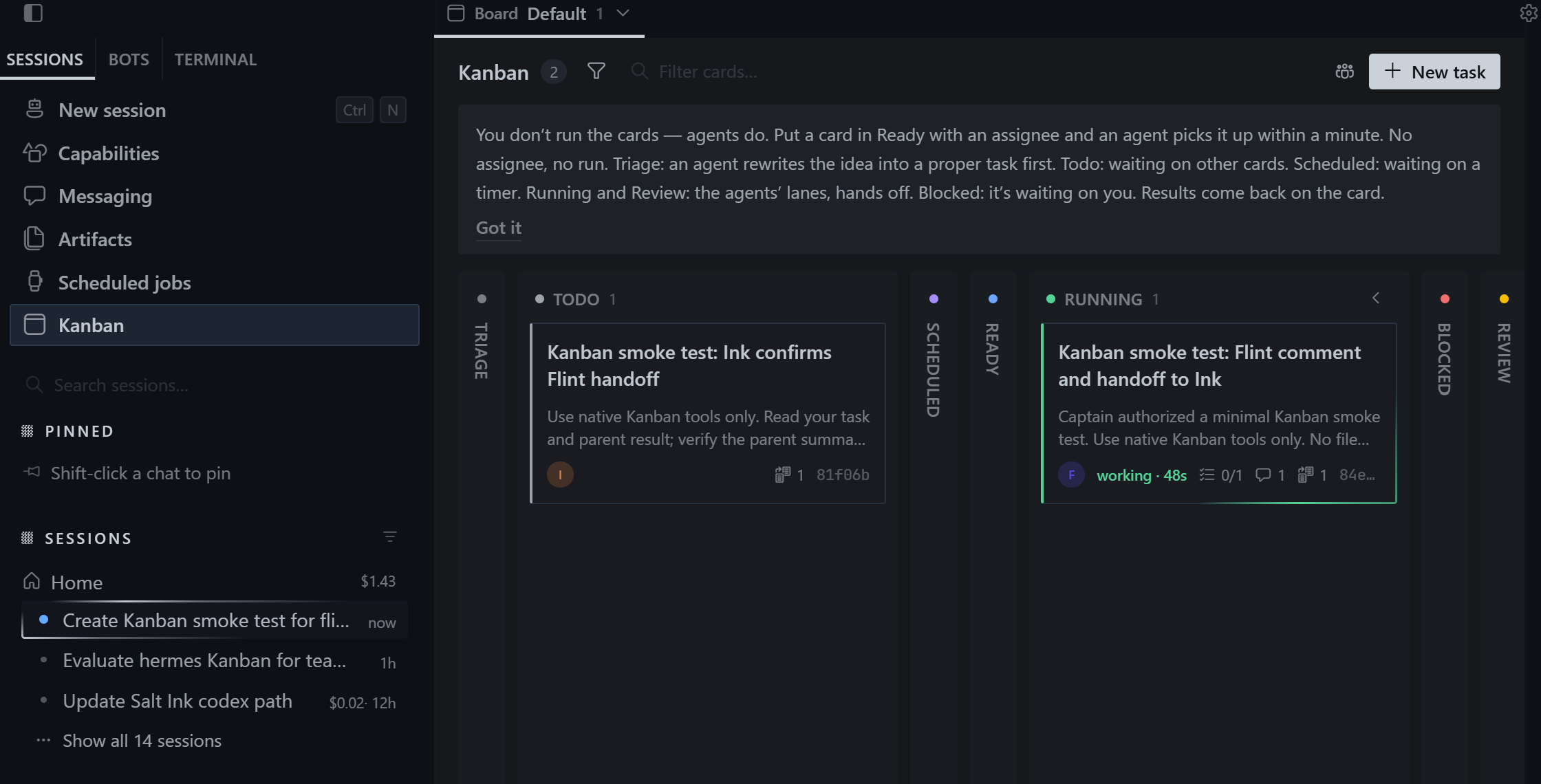
The dependency is visible on the board. Ink’s task waits until Flint finishes, rather than relying on me to notice a message and forward it. I can open the cards to inspect their instructions, comments, and results.
✅ Both tasks complete, and Salty reports the outcome. This is a small smoke test, but it verifies the part I was missing: work can pass between the named profiles through a shared queue.
To make the same Kanban tools available through Telegram, I enable them for that platform on each profile:
hermes tools enable kanban --platform telegram
hermes -p patch tools enable kanban --platform telegram
hermes -p ink tools enable kanban --platform telegram
hermes -p flint tools enable kanban --platform telegram
This gives the agents a work-tracking mechanism alongside chat. It does not prove that any complex project can run unattended, and it does not remove my review responsibility. It does give me somewhere to see what was requested, who handled it, and what came back.
OpenAI subscription
💸 After a few sessions, token usage is higher than I expected. Adding profiles also means maintaining their context and deciding which tools and skills each one needs.
I disable unused skills according to each role, without restricting the agents so much that I cannot discover what they need in practice. Skills load on demand, but selecting the relevant set still helps keep the setup focused.
One request through OpenRouter costs about $5 in my test. I am happy with the result, but that is enough to make me reconsider how I pay for the models. The crew may be virtual, but the bill has no such limitation. 😅
With API-key billing, each follow-up adds to the usage I pay for. That makes me hesitate to keep the conversation going, even to tell an agent that it did a good job or explain what needs improvement. Paying to say “good job” gives politeness a rather unusual price tag.
That hesitation gets in the way of the self-improvement loop I wanted to try. Feedback gives the agent useful context about what worked and what should change. Corrections can then become instructions in a reusable skill, rather than something I have to explain again next time.
I switch the profiles to the OpenAI subscription integration through Hermes Desktop and test text requests and image generation.
🔁 Since switching, I no longer hold back on that feedback because of the cost of each request. I tell the agents when their work is good, and I take the time to explain when it needs improvement. I am more willing to iterate, which lets me make better use of Hermes’ self-improvement loop.
I also install a provider-usage plugin so I can see usage in the interface rather than repeatedly checking the provider’s website.
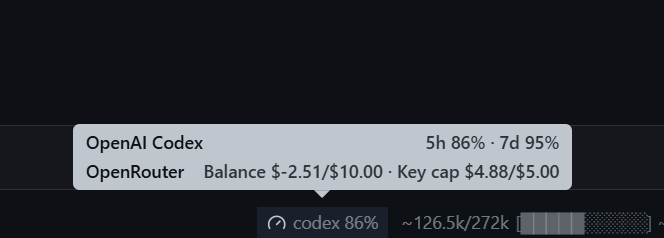
This changes how I access the models, but it does not make the work unlimited or free. I still need to pay attention to usage and choose an appropriate model for each task.
Conclusion
🎉 I now have Hermes running in a Proxmox VM, connected to my Obsidian vault and available from my laptop and phone. The agents have separate roles, and their shared instructions and custom skills are tracked in Git.
The most useful discovery is the Kanban handoff. Separate profiles initially add enough friction that I question keeping them. Once the agents can assign work, wait for dependencies, and record results on cards, the arrangement makes more sense.
I am still experimenting with how much specialization is useful. For now, I keep the four-agent setup: Salty coordinates, Flint researches, Patch engineers, and Ink documents. I stay responsible for the decisions and infrastructure changes, with a clearer record of the work the agents prepare for me.